Écoutez gratuitement ce podcast dans l'application : Télécharger gratuitement dans l'App Store
radio.fr
Minuteur
Sauvegarde des favoris
13 épisodes
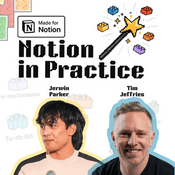
Prompts All the Way Down: Notion Workers and AI Agents: (Nathan Clark, Tim Jeffries, Jerwin Parker)
11/11/2026 | 51 minReadyGTM founder Nathan Clark shows how he built an AI running coach and a bookkeeping system on Notion Workers and AI agents, without writing the code himself.
Nathan has used Notion since around 2017, and his GTM consultancy now runs on it, from his CRM and client portals to the Workers and agents on top. He joins Tim Jeffries and Jerwin Parker to break down two builds and the thinking behind them.
How do you build an AI running coach in Notion?
Start with the outcome. Nathan gave Codex his half marathon goal, recent results, constraints and training sources, then had it build the plan into a Notion database. A Worker polls Strava for new runs, and an agent compares each one with his target pace and adjusts the coming week.
When should you use a Worker instead of an agent?
Whenever the job is moving data. Workers are deterministic code hosted by Notion: cheap, fast and reliable. "I'm not hiring a PhD to go and pick up one thing in one box and put it in the other box," Nathan says. Agents are for judgement.
Do you need to be a developer?
No. Nathan has never written software and couldn't change a character of his Workers' code. His method is "prompts all the way down": describe the outcome, ask how to get there, ask what could go wrong, and push back when the AI hands you a job it could do itself.
How does Nathan run his books in Notion?
A Worker pulls invoices, payments and transactions from Xero, Airwallex and a read-only bank feed into Notion. His accountant agent answers questions from that data, and his Monday "win the week" agent checks what has been invoiced and paid. To scope access, he asked what the worst thing that could happen was.
What happens when a Worker fails silently?
It keeps failing. Nathan's Xero Worker failed around 40,000 times in a month before he noticed, because it had no check for failed syncs.
Where should you start?
Raise your ambition. Nathan asks teams what they would do with ten super-intelligent engineers on day one. Notion already holds the context they'd need.
Three actionable takeaways
You don't need to understand the whole solution before you start. Know the outcome and work it out with AI one step at a time.
Give each part of the process the right tool: Workers to move data, agents for judgement.
Getting it running is only half the job. Build failure checks into every Worker.
Coming up
More of season two on the developer side of Notion: Workers, custom agents, and what people are building with them.
Resources mentioned
Notion Workers
Notion CLI
Notion MCP
Nathan Clark on LinkedIn
Who this is for
Consultants, solo operators and Notion builders who want Workers and agents doing real work, without a software background.
Subscribe to Notion in Practice for real workflows and real outcomes.If It's Not in Notion, It Doesn't Exist: Automation at Scale (Matt Upton, Flight Centre) S02E02
11/10/2026 | 39 minFlight Centre Travel Group's Matt Upton explains how his automation team uses Notion, Notion Workers and Notion AI skills at enterprise scale, and why nothing gets automated until the process behind it is fixed.
Matt is Head of Automation and Innovation for Flight Centre's Asia Pacific corporate brands, leading a team of around 30 across five brands from India and the Middle East to Japan, Australia and New Zealand.
Inside a 12,500-person business, the work ranges from multi-step customer onboarding automations to five-minute tasks done 500 times a day.
He joins Tim Jeffries and Jerwin Parker on Notion in Practice to walk through how his part of the business made Notion its single source of truth. Information used to be spread across Confluence, Azure DevOps, SharePoint, OneDrive and local files, and nothing joined up.
Flight Centre's corporate technology teams now have roughly 1,000 Notion seats. "I tell people if it's not in Notion, it doesn't exist," Matt says, and that rule is what made the change stick.
Who this is for
Operations, automation and technology leaders fitting Notion, Workers and Notion AI into an existing enterprise stack, and smaller teams who want the same discipline without the headcount.
Why can't you automate a bad process?
Because automation speeds up whatever process it runs on. Matt's team won't automate anything until it has been through a continuous improvement pass. As Tim puts it, automating a bad process just makes the chaos go faster and the mess grow quicker.
How did Notion take hold at Flight Centre?
Microsoft Loop opened the door. Notion had been in the business for years with only a handful of real users, and once teams saw collaborative documents working in Loop, a few people pointed out that Notion already did this at scale.
How does Matt's team sync Smartsheet and Azure DevOps with Notion?
With Notion Workers, small pieces of code deployed to Notion. Matt has seven or eight Smartsheets plus Azure DevOps syncing into Notion databases this way, set up in a short conversation with a coding tool and left to run without babysitting. Most Workers do one plain job like this.
How do you build a Notion Worker?
Start with a brief. Tim gets clear on the problem with Notion AI, then hands the brief and the Worker docs to Claude Code. His Worker was deployed and working within an hour.
Do you have to migrate everything into Notion?
No. Smartsheet and Azure DevOps stay where they are as the data layer, Notion becomes the context and reporting layer on top, and Workers keep the two in sync. The episode also covers Notion as "the Switzerland of AI", connecting different models and tools.
Three actionable takeaways
Run a continuous improvement pass before you automate anything.
Leave your system of record where it is and use Notion Workers to sync the data into Notion.
Start every Worker with a brief from Notion AI, then point a coding tool at the brief and the Worker docs.
Resources mentioned
Tim's article "You already have a digital operating system": https://smoothopsconsulting.substack.com/p/you-already-have-a-digital-operating
Connect with Matt Upton.
Connect with Jerwin Parker.
Connect with Tim Jeffries.Your Digital Operating System: Automation and AI | S02E01
27/08/2026 | 40 minAI doesn't run in a vacuum. It runs inside a world: the platforms your work lives on, the records that hold the truth, the rules about what happens next. Most AI disappointment isn't a model problem. It's that there was never a world built around it.
Season 1 of Notion in Practice was about AI inside Notion. Season 2 is about building the bigger world that surrounds it: the integrations, automations and structure that decide whether your AI has anything worth thinking about.
Tim Jeffries and Jerwin Parker open the season with the frame they use across every build: a digital operating system has four parts, the world, the work, the players and the rules. Inside that world, work splits into deterministic work, where you know the inputs and the outputs and can write the rule, and judgement work, where something has to think.
This isn't automation versus AI. It's how you build somewhere both of them can do their best work.
Build the world properly and the two compound each other: the plumbing keeps the records true, and the judgement runs on something worth reading. Skip it, and you have a clever model guessing in the dark, and paying a premium to move an email.
In this episode:
Why most businesses run an archipelago of disconnected platforms, and what that costs in duplicated truth
The two halves of every job (plumbing and judgement), and the three kinds of player that can now do either
Onboarding a referral, split task by task, so you can see exactly where the line falls
Why deterministic work is cheap, precise and loud when it fails, and why that's a feature
A live look at the email worker that reads a whole Google Workspace domain and files every client email against the right project
What it means when the system knows more about a job than any individual on the team
How small a worker should be, and why one that does five things becomes a mess fast
The run log: 10,000 records, and why observability came before the fleet
Real numbers: about a dollar a meeting for deep AI follow-up, versus US$1.20 for 741 automation runs
What breaks, why bridges collapse, and debugging a worker with a coding agent an hour before recording
Three actionable takeaways:
Break the job into tasks before you choose which player should perform it. Label each task plumbing or judgement, then cast the cheapest player that can do it well.
Keep each worker small and single-domain. Same process, several triggers is fine. Different workflows in one worker is a mess waiting to happen.
Build the log before you build the fleet. If you can't see what ran overnight, you don't have a system, you have a hope.
Resources Mentioned
Season 1 finale with Notion's Head of AI
Notion workers / developer platform
AI / Personal Agent Starter Kit: https://www.smoothops.consulting/notionaistarterkit
Substack: https://smoothopsconsulting.substack.com/
Coming up this season: the businesses actually running this. Law firms, designers, film people. What worked, what didn't, and what it cost.
Who this is for: founders, operators and consultants who have the AI part working and now need the connective tissue underneath it to be reliable, cheap and visible.
👉 Subscribe wherever you get your podcasts, or on YouTube @NotioninPractice.Notion's Head of AI on Building Agents Your Team Can Trust: Sarah Sachs E10
09/07/2026 | 44 minTokens don't grow on trees. So what are you actually paying for when you pay for AI agents?
In this episode, recorded live in studio, we sit down with Sarah Sachs, Head of AI Engineering at Notion (ex Google, ex Robinhood), to unpack what it means now that Notion is becoming the AI infrastructure real businesses run on. It's a practical conversation for founders, ops leads, chiefs of staff and the accidental systems people who became responsible for how the business actually runs.
What we cover:
The $500 AI bill: when agent cost is broken, and when it's the cheapest hire you'll ever make
Use AI for reasoning, code for plumbing: why Notion Workers exist and when a token is the wrong tool for the job
Permissioned context as the real moat, and Notion as the system of record where humans and agents collaborate
Agent sprawl, vendor lock-in, and staying model optional as the frontier moves
Observe in prod or live in a hallucination: watching what your agents actually do and actually cost
Timestamps:
00:00 Cold open: "we're over-indexing on tokens"
00:30 Intro and welcome, first episode live in studio
04:05 Sarah's story: Google, Robinhood, and into AI
07:30 What Head of AI Engineering at Notion actually does
08:55 Why Notion, and AI going from add-on to core
11:23 Two years, shipping fast, surfing the wave
13:30 The $500 bill: tokens don't grow on trees
18:38 Reasoning vs plumbing: stop spending tokens to move data
21:41 Workers vs Zapier and Make
23:00 Managed agents, permissioning and model interoperability
25:44 Agent SDK, API and Dev Day
26:30 Agent sprawl and Notion as the system of record
28:50 Vendor lock-in and model optionality
31:31 Building in the open, primitives and reception
34:53 Staying fresh: the hot yoga rule
Five takeaways for your business:
Be deliberate about what you hand to AI. Once agents run real workflows, cost stops being abstract.
Reserve AI for judgement and ambiguity.
Redesign workflows around trusted, permissioned context instead of bolting AI onto the mess.
Stay model optional. Keep your context and workflows in a system of record so you can swap models as the frontier moves.
Observe agents in production so you catch hallucinations and runaway spend before they hit your bill.
Connect with Sarah Sachs:
LinkedIn: linkedin.com/in/sarahmsachs
X: x.com/sarahmsachs
Resources:
Notion custom agents and Workers: notion.dev
Notion MCP docs: developers.notion.com/guides/mcp/overview
Claude agents in Notion: notion.com/partners/claude
Notion Enterprise Search: notion.com/product/enterprise-search
Notion AI Starter Kit: smoothops.consulting/Notion-AI-Starter-Kit-387dbd5e653480f8a275c1dc82b691ad
Connect with your hosts:
Jerwin Parker
Tim JeffriesNotion AI Custom Agents: What You Actually Pay For + The 3 Layer Guide (Agents, Skills, Guides) E09
27/04/2026 | 54 minIn Episode 9 of Notion in Practice, Tim Jeffries and Jerwin Parker tackle the question on every Notion power user's mind: what will custom agents actually cost and is it worth it?
With usage-based pricing for Notion custom agents rolling out, Tim and Jerwin discuss what stays free (personal agent / Nosy, enterprise search, meeting notes) and what gets metered (custom agents). They walk through the three-layer model Smooth Ops uses to architect AI inside Notion: Agents, Skills, and Guides and why this structure keeps costs predictable while making your AI dramatically smarter.
In this episode:
What you actually pay for in Notion AI (and what's free)
The three-layer model: agents as orchestration, skills as SOPs, guides as reference material
A real example: how Tim's calendar-sync custom agent costs ~$150 AUD/month and why it earns its keepHow picking the right LLM (Haiku vs Sonnet vs Opus) per agent changes your bill
Why clean databases are the non-negotiable foundation before any AI work
When to reach for Claude + Notion MCP instead of staying inside Notion
Meet Al, Tim's chief-of-staff personal agent, and how he handles every domain via dynamic skill-matching
Why every skill needs an owner and a verification cadence: governance, not just authoring
Three actionable takeaways:
Start with your data structure: clean, well-named databases are the foundation everything else relies on.
Set up your personal agent (Nosy) with strong custom instructions before you build a single custom agent.
Build skills as separate, reusable pages and keep custom agents lightweight: they should orchestrate, not contain logic.
Who this is for: New, Intermediate-to-advanced Notion users, consultants and operators who want to use Notion AI without burning through credits: especially anyone planning their custom agent strategy ahead of usage-based pricing.
🎁 Tim's special offer for listeners: If you're struggling to set up your personal agent instructions, reach out to Tim directly: he's giving away a free instructions starter kit to anyone who asks. (Mentioned around the takeaways at the end of the episode.)
📚 Further reading: Tim's Substack article Structure is the Strategy: open.substack.com/pub/smoothopsconsulting
👉 Subscribe wherever you get your podcasts and on YouTube @NotioninPractice for weekly real-world Notion + AI workflows.
Plus de podcasts Technologies








Podcasts tendance de Technologies

























À propos de Notion in Practice
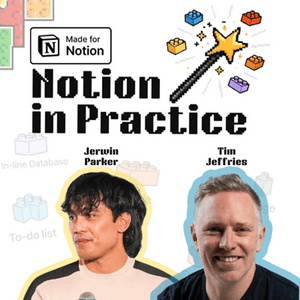
Notion in Practice is the podcast for Notion power users, founders, and operators who want to see how real teams build and scale their workflows.Hosted by Tim Jeffries (Notion Certified Consultant & Founder of Smooth Ops Consulting) and Jerwin Parker (Official Notion Ambassador & Marketing Lead at TrustOnCloud), each episode features expert interviews, actionable use cases, and practical takeaways you can implement today. Learn advanced Notion strategies, workflow automation, team systems, and productivity frameworks from practitioners who live in Notion daily.
Site web du podcastÉcoutez Notion in Practice, Tech&Co, la quotidienne ou d'autres podcasts du monde entier - avec l'app de radio.fr
Obtenez l’app radio.fr gratuite
- Ajout de radios et podcasts en favoris
- Diffusion via Wi-Fi ou Bluetooth
- Carplay & Android Auto compatibles
- Et encore plus de fonctionnalités
 France